Transform Logs to Metrics using the Collector#
This scenario uses a collector which contains the signal_to_metrics connector which the Dynatrace distribution doesn't currently include.
Often there are numerical values in log lines that you'd like to extract and chart as a timeseries.
Simple Parsing#
Take this log line for example: A dummy log line field=200
You'd like to extract 200 and use that value.
scenario12.yaml shows the base OpenTelemetry collector configuration we'll use during this exercise.
The metric value is first extracted from the log lien using the transform processor and stored as a log attribute called metrics which is a Map of metric values.
The log line is passed to the signal_to_metrics connector (a connector connects two pipelines). The signal_to_metrics connector extracts the metric, calls it foo and parses it from a String to a Double (ie. an actual number).
The metric is then sent to a dedicated metrics pipeline and sent to Dynatrace.
Stop Previous Collector#
If you haven't done so already, stop the previous collector process by pressing Ctrl + C.
Start Collector#
Run the following command to start the collector:
source .env
$BASE_DIR/otelcol-contrib --config=$BASE_DIR/scenario12.yaml
Generate Log Data#
Open file.log file and add this log line then save the file.
A first dummy log line field=200
View Data in Dynatrace#
Tip
Right click and "open image in new tab" to see large image

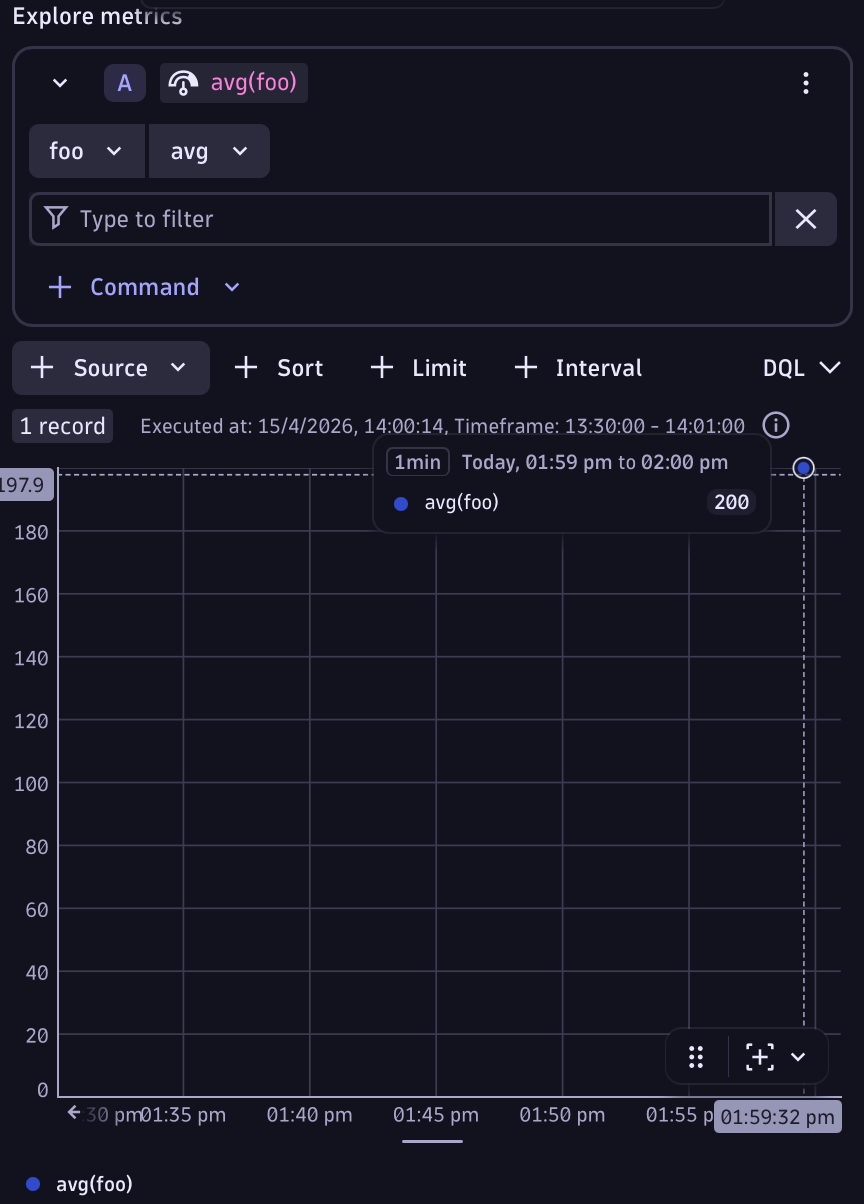
First check the metric exists using the metrics command.
metrics
| filter metric.key == "foo"
Then chart it either using DQL or the metrics chart. Here is the DQL:
timeseries avg(foo)